How Do You Make a Teleporter in Minecraft?
Build linked Nether portals for fast travel between far-off Minecraft locations.

What Teleporters Do in Minecraft
In Minecraft, a teleporter is a build or game feature that moves you between places. Vanilla survival has no single block that sends you to any chosen spot. Instead, players use linked Nether portals, Ender Pearls, or special Redstone builds.
Nether portals are the best way to make a repeatable route between far-off places. One block in the Nether covers about eight blocks in the Overworld. That makes a portal network useful for linking bases, farms, and mines.
So, can you make a teleporter in Minecraft? Yes, if you use portals or a version-specific build. A portal pair is not an exact point-to-point device by default. Correct placement helps it link to the exit you want.
If you are asking how to build a teleporter in Minecraft, start with two Nether portals. Plan their locations, gather obsidian, and link them with coordinate math. This method works in regular survival mode.
Materials Needed for a Basic Portal Network

Each Nether portal needs at least 10 obsidian blocks. That count leaves the four frame corners empty. A full frame needs 14 blocks. You also need flint and steel to light the portal.
Bring spare blocks to make paths and shelter. Cobblestone is a solid choice for a quick portal room. Pack food and basic gear for the Nether, where hazards can block your route.
Redstone and Ender Pearls are not needed for linked Nether portals. Redstone can help with advanced builds, such as a pearl stasis chamber. Pearls let you cross gaps or reach ledges, but they do not create fixed links.
- At least 10 obsidian for each portal frame
- Flint and steel to light each frame
- Spare building blocks for paths and shelter
- Food and gear for travel through the Nether
- Optional Redstone parts for advanced builds
Use regular obsidian for the frame. Crying obsidian cannot take its place. A diamond or netherite pickaxe is needed to mine obsidian and keep the blocks.
Step-by-Step: Build and Link Two Portals

First, choose two Overworld spots you want to connect. Note the X and Z coordinates of each spot. Divide both numbers by eight to find the matching Nether location.
For example, an Overworld base at X 800 and Z 400 maps near X 100 and Z 50. A second base at X 1600 and Z 400 maps near X 200 and Z 50. These values are targets, not a guarantee of exact portal placement.
- Build the first frame. Make a standing rectangle at least four blocks wide and five blocks tall, including the frame.
- Light the frame. Use flint and steel on the inside. Check that the area beyond the portal is safe before stepping through.
- Reach the matching Nether spot. Follow the divided X and Z values. Make a safe path around lava, cliffs, and other hazards.
- Build the second frame. Place it near the target coordinates, then light it and enter the portal.
- Check the Overworld exit. See where you arrive. If it is far from your chosen spot, adjust the Nether portal toward the matching coordinates.
- Test both directions. Walk through each portal and note the exit. Add shelter and clear paths at both ends.
For how do you make a teleporter in Minecraft that links two bases, the key is coordinate planning. Check both X and Z values. Height matters less for the eight-to-one scale, but it can affect safety and portal placement.
For the phrase how to make teleporter in Minecraft, the steps are the same: build two frames and set them near matching coordinates. If one portal keeps linking to the wrong exit, move the Nether frame nearer its target. Remove stray portals that could draw the link away.
Common Portal Problems and Fixes
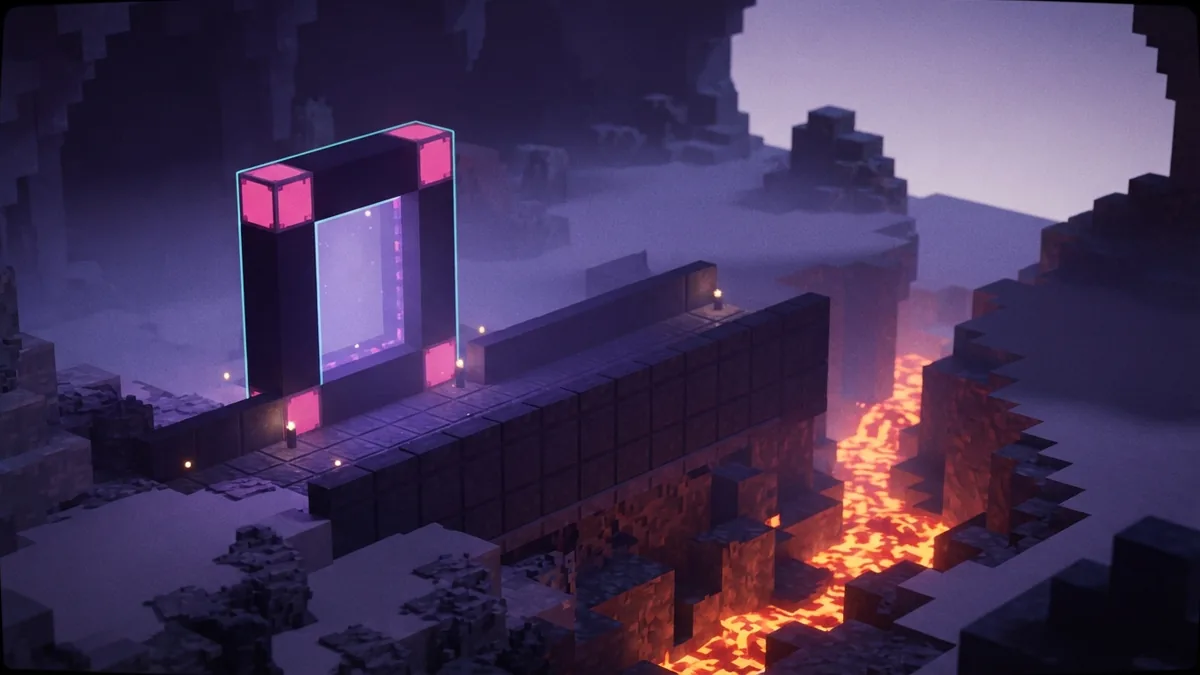
The portal opens in the wrong place. Recheck the math for X and Z. Divide the Overworld values by eight, then compare the result with the Nether portal's location. Move the Nether frame closer if needed.
The frame will not light. Check that the inside is clear and that each frame block is regular obsidian. The four corners may be empty. Replace any wrong block before trying again.
The exit is dangerous. Portals can open near lava, drops, or hostile areas. Bring spare blocks, wall off the opening, and light a safe path before making regular trips.
Two portals share one exit. Their mapped positions may be too close, or a stray portal may be a closer match. Check the target coordinates for both pairs. Spread the Nether frames apart when the layout allows.
Take notes as you test. Record each portal's Overworld and Nether locations. This makes it easier to spot a math error or an unexpected link.
Other Teleportation Builds and Travel Tips
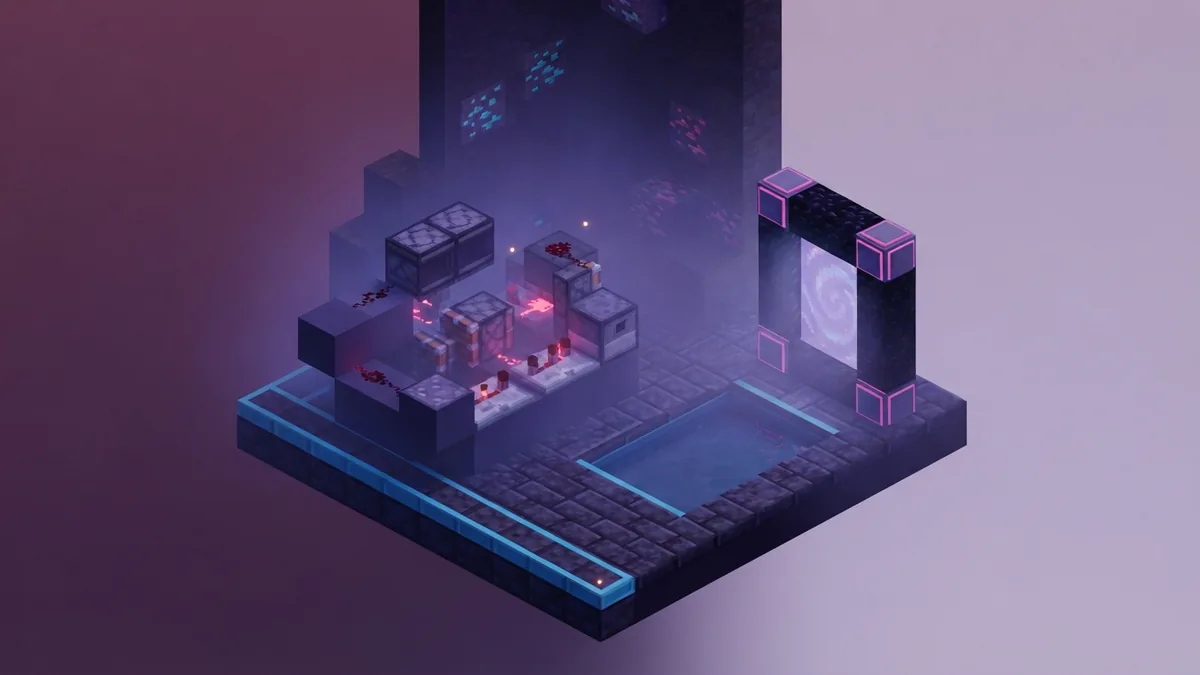
Ender Pearls give you a quick way to cross short gaps. Aim for a broad, safe spot before throwing one. The landing can cause fall damage, so avoid narrow ledges and deep drops.
Some players build pearl stasis chambers. These use water and Redstone parts to hold a thrown pearl, then trigger its release later. Designs vary by game version, so test one in a safe area before relying on it.
For multiplayer travel, agree on portal spots and share their coordinates with your group. Give each route a clear name in your own notes. Build a lit path between nearby Nether portals so teammates can find the right exit.
For better navigation, mark both ends with distinct blocks or shapes. Keep the portal frame clear, and add walls where mobs or falls pose a risk. These small steps make a portal network easier to use.
Use a Nether portal when you need a lasting route between distant areas. Use pearls for quick local movement. Try a Redstone build only when you want a more advanced setup and can test it safely.
Plan the Route Before You Travel
A basic teleporter in Minecraft is a pair of well-placed Nether portals. You need obsidian, flint and steel, and a safe route between the matching locations. Redstone and pearls are useful extras, not required parts.
Start with one route and test it in both directions. Check the coordinates, fix any poor links, and protect each exit. With careful placement, your portal network can make long journeys much shorter.
Step-by-step
- 01 Choose two Overworld locations
Record the X and Z coordinates for both destinations. Divide each value by eight to find the matching Nether locations.
- 02 Gather portal materials
Bring at least 10 obsidian per frame and flint and steel. Pack spare blocks, food, and gear for a safe Nether trip.
- 03 Build and light the first frame
Make a frame at least four blocks wide and five blocks tall. Light the inside with flint and steel.
- 04 Build the second portal near its target
Travel toward the matching Nether coordinates. Build and light the second frame near that spot.
- 05 Test and adjust the link
Walk through both portals and check each exit. Move a frame closer to its target if the link is wrong.
Frequently asked questions
- Can you make a teleporter in Minecraft survival mode?
- Yes. Build two Nether portals and place them near matching coordinates. Ender Pearls also move you over short distances.
- How do you make a teleporter in Minecraft?
- Build two obsidian portal frames and light them with flint and steel. Divide each Overworld X and Z coordinate by eight to find its Nether target.
- How many obsidian blocks do I need for a Nether portal?
- You need at least 10 obsidian for a frame with empty corners. A full frame uses 14 blocks.
- Why does my Nether portal send me to the wrong place?
- The linked portal may be closer than the one you intended. Check the coordinate math and move the Nether frame nearer its target.
- Do I need Redstone to build a Minecraft teleporter?
- No. Redstone is not needed for basic linked Nether portals. It can be used in advanced builds, such as pearl stasis chambers.
Related reading
Can You Play Minecraft on a Tablet?
See which tablets run Minecraft and what to check before you play.
How Do You Grow Mushrooms in Minecraft?
Plant a mushroom, use bonemeal, and harvest giant mushroom blocks.
How Do You Find Copper in Minecraft?
Find copper ore, mine it with the right pickaxe, then smelt it into ingots.