Build a Complete Gas Station in Minecraft
Build a detailed Minecraft gas station with pumps, a shop, and a custom canopy.
Plan the Gas Station Before You Build
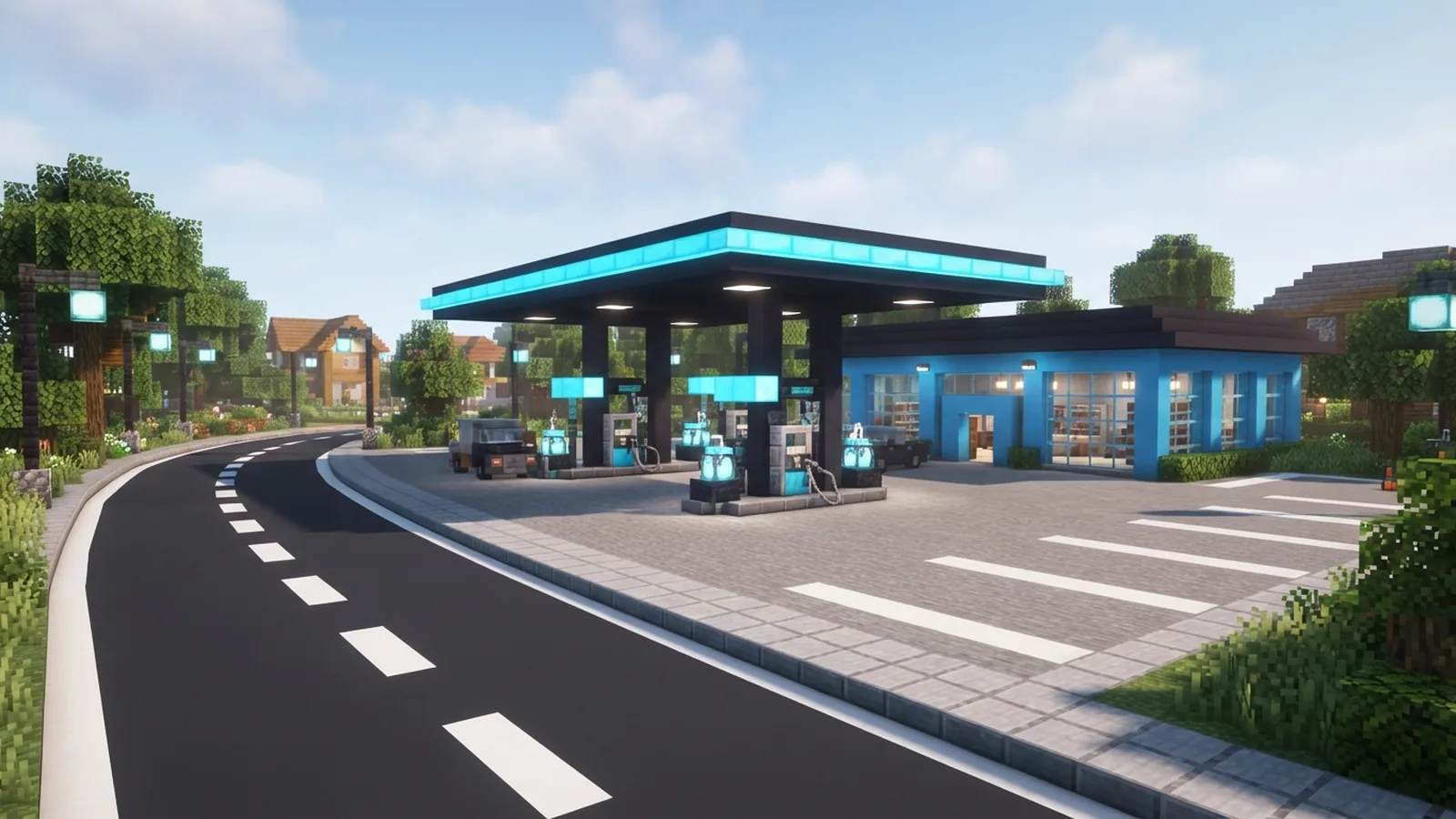
To build a gas station in Minecraft, start with a flat plot near a road or busy town. A small station needs about 25 by 19 blocks. Leave extra space for cars, paths, and a shop. The station can mark a town entrance or give a city build more life.
Choose the station style before placing blocks. A desert stop may use sandstone and warm lights. A modern city stop may use concrete, glass, and iron. Keep the shape simple at first. A clear plan saves blocks and makes later details easier.
- Reserve a 25 by 19 block plot.
- Use a 17 by 11 block drive area.
- Place the shop along the rear wall.
- Leave room for two or four pump lanes.
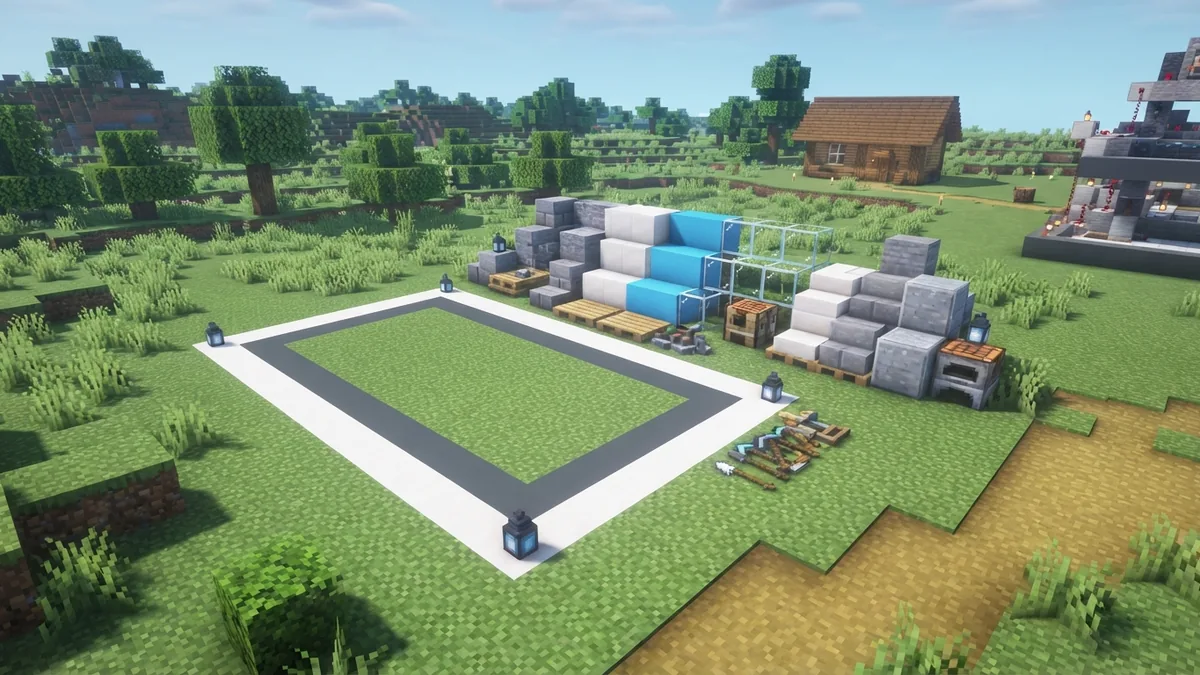
Mark the corners with temporary dirt or wool. Then check the build from the road. The entrance should look wide and easy to use. A nine-block opening works well for a small station.
Gather the Main Materials
You can make a gas station with common blocks. Concrete gives the walls a clean look. Quartz, smooth stone, or bricks can add trim. Glass works well for the shop front and cashier area.
Use stairs, slabs, and walls for the canopy. Iron bars, chains, and trapdoors add thin metal parts. Sea lanterns or glowstone can light the forecourt. Redstone lamps also fit a modern design.
| Build part | Useful materials |
|---|---|
| Ground | Stone, gray concrete, or polished andesite |
| Walls | White concrete, bricks, quartz, or terracotta |
| Canopy | Concrete, slabs, stairs, and iron bars |
| Pumps | Quartz, iron blocks, buttons, and trapdoors |
| Lights | Sea lanterns, glowstone, or redstone lamps |
| Details | Signs, banners, flower pots, barrels, and doors |
Bring extra blocks for color bands and repairs. Two main colors plus one accent color usually look best. For example, use white walls, dark gray trim, and orange details.
Build the Base and Shop
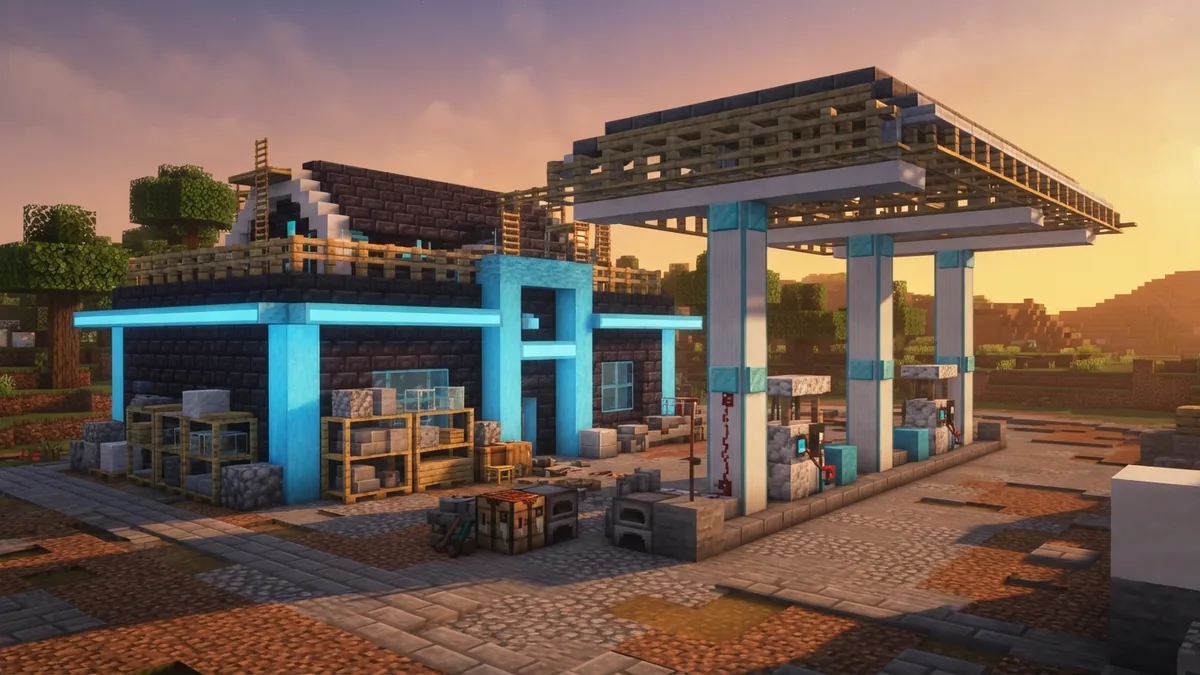
Clear the plot and lay a 25 by 19 block foundation. Use stone or polished andesite for the driveway. Make the central forecourt 17 blocks wide and 11 blocks deep. Add a two-block-wide border around the outer edge.
Build the shop at the back of the plot. Make it 15 blocks wide, nine blocks deep, and five blocks high. Leave a three-block-wide glass entrance in the front wall. Add glass panes across the front for a bright, open look.
- Place the foundation inside the marked plot.
- Build the shop walls to five blocks high.
- Add a flat roof with a one-block overhang.
- Place a door at the front center.
- Fill the front wall with glass panes.
Add a counter inside with slabs and trapdoors. Barrels can act as shelves or storage. Place rows of item frames behind the counter if you want a shop-like display.
For a larger station, extend the shop to 19 by 11 blocks. Add a rear room for storage. You can also place a small office above the shop.
Construct Pumps and the Canopy
Set two pump islands in front of the shop. Each island can be seven blocks long and three blocks wide. Leave a three-block gap between the islands. This gap gives vehicles room to turn.
Build each pump with a two-block-high pillar. Use quartz, concrete, or iron blocks for the base. Add a button, lever, or trapdoor as a small control detail. A wall-mounted sign can suggest the pump number.
- Use slabs for each pump island.
- Place two pumps on every island.
- Leave at least three blocks between pump lanes.
- Add buttons as hose or control details.
Build the canopy above the pumps at five blocks high. Make it 17 blocks wide and nine blocks deep. Support it with four pillars near the island corners. Use slabs for a thin roof and stairs for a shaped edge.
Give the canopy a strong color band around its rim. A one-block red, blue, or orange stripe helps players spot the station. Add sea lanterns below the roof at four-block gaps.
Add Signs, Parking, and Other Useful Details
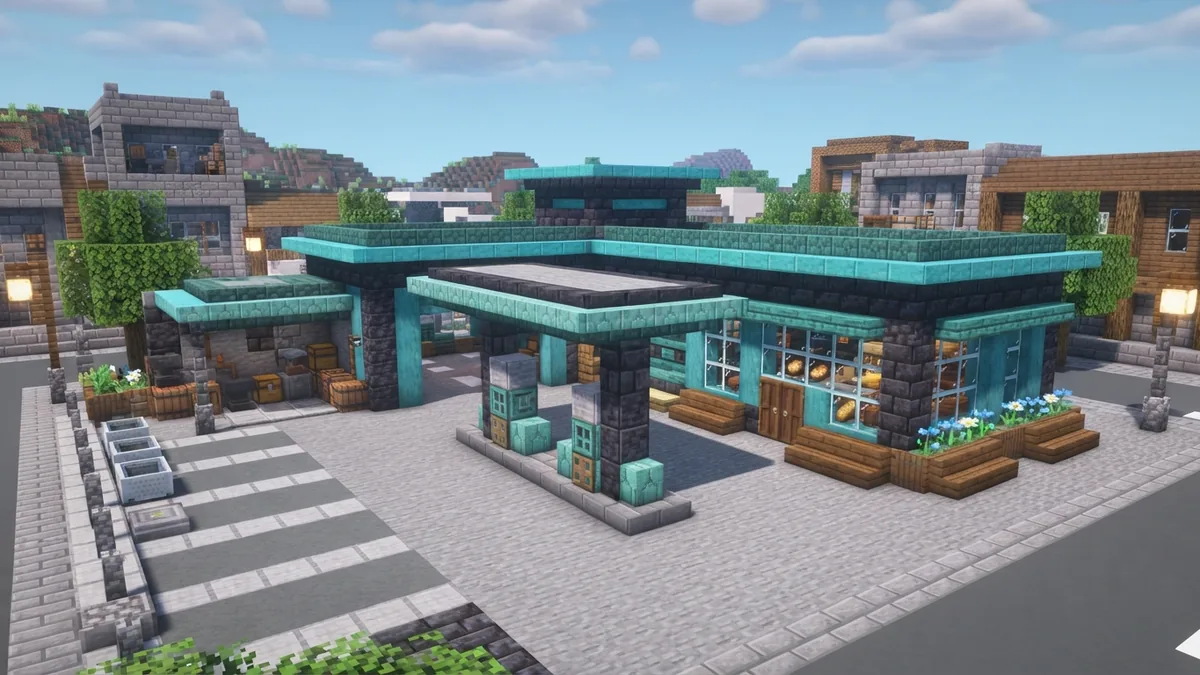
Signs help the station read clearly from far away. Place a tall sign near the road or on the canopy. Use banners for bold color blocks. Avoid filling every wall with signs. A few clear markers look more believable.
Add a parking area beside the shop. A space of nine by five blocks can hold one vehicle. Use stairs, slabs, or minecarts to suggest parked cars. A road curb made from stone walls can separate traffic from the shop.
Optional features can turn the build into a useful stop. Add a rest area with benches and flower pots. Build a small food shop beside the main room. You could also add a repair bay with an iron door and a wide entrance.
- Place benches under a side awning.
- Add barrels for a small supply store.
- Build a bathroom wing with two compact rooms.
- Use campfires below trapdoors for a food stall.
- Add a tire bay with black concrete and buttons.
These details make the station feel part of a larger world. They also give players reasons to stop there during roleplay or town tours.
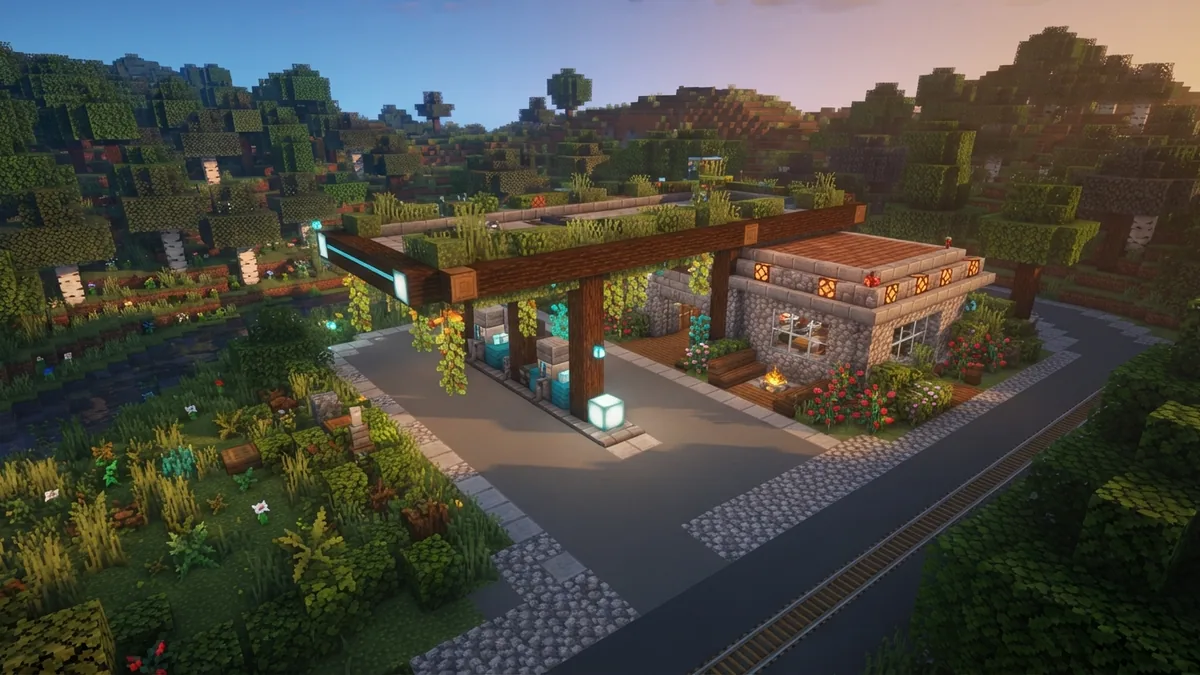
Match the Build to Your Biome
Desert stations suit sandstone, cut sandstone, and orange terracotta. Add a flat roof, cactus pots, and shaded seating. Use lanterns for a warm light that fits the dry landscape.
Snowy stations need a steep roof and covered walkways. Try spruce logs, stripped spruce, and white concrete. Add snow layers to the canopy, but keep the drive clear.
Jungle stations can use dark oak, moss, and vines. Keep the main structure raised on stone supports. In a swamp, try mangrove wood, mud bricks, and lanterns over shallow water.
For a futuristic build, use black concrete, cyan glass, and smooth quartz. Add sea lanterns under the canopy. For a rural stop, use bricks, oak, and a smaller shop.
Finish the Scene and Test the Layout
Replace temporary markers with your final blocks. Check every entrance from the road. Players should reach the pumps without walking through walls or tight corners. A three-block path gives most small builds enough room.
Test the lighting at night. Place lights under the canopy, beside the door, and near the parking area. Keep dark gaps away from the main drive. This improves the look and helps protect the area from hostile mobs.
- Add road markings with white concrete.
- Place trash cans made from barrels and trapdoors.
- Use bushes, trees, or planters near the shop.
- Add fuel-style colors to pumps and canopy trim.
- Place benches, carts, and storage near the side wall.
Walk around the station from several angles. Remove details that block the main shape. Add small flaws, such as a mismatched slab or worn path, if you want a lived-in style.
Showcase Your Minecraft Gas Station
Once the build is ready, take screenshots during the day and at night. A low view from the road can show the canopy and tall sign. A higher view can show the full layout and parking spaces.
Invite friends to visit the station in your world. Add it to a town tour, roleplay map, or survival road trip. You can also share the build in a Minecraft community with the seed, coordinates, and block palette.
Show the build process as well as the finished result. Before-and-after views help others copy the layout. If you want to explain how to make a gas station in Minecraft, include the plot size and pump spacing in your post.
Most of all, adapt the plan to your own world. Change the colors, add new rooms, or make the station part of a wider road network. A simple build becomes memorable when it has a clear place and purpose.
Frequently asked questions
- How big should a Minecraft gas station be?
- A small gas station works well on a 25 by 19 block plot. This size leaves room for a shop, pumps, a canopy, and parking.
- What materials do I need to make a gas station in Minecraft?
- Use concrete, quartz, stone, glass, slabs, stairs, iron bars, trapdoors, and lights. Add signs, banners, barrels, and flower pots for extra detail.
- How do you build gas pumps in Minecraft?
- Build the shop first, then add two pump islands and a canopy. Keep three blocks between islands so cars and players can turn with ease.
- Can a Minecraft gas station have functional rooms?
- Yes. Add a food shop, rest area, bathroom wing, storage room, or repair bay. These rooms make the station useful during roleplay and town tours.
- How can I customize a gas station for different Minecraft biomes?
- Match the block palette to the landscape. Use sandstone in deserts, spruce in snowy areas, and mangrove wood in swamps.
Related reading

How Do You Export a Minecraft World?
Copy or export your world, then bring it back when you need it.
What Are Minecraft Mods, and What Should You Get?
See how Minecraft mods work, what they add, and how to install them safely.
How Do You Craft a Pickaxe in Minecraft?
Gather the right materials, place them in the grid, and craft your pickaxe.